Connection and table security are the first two gates in Reeflow’s data access control. Before any column or row filtering applies, a query must target an allowed connection and only reference allowed tables.
Connections are the outermost boundary for data access. A principal must have query permission on a connection before they can execute any queries against it.
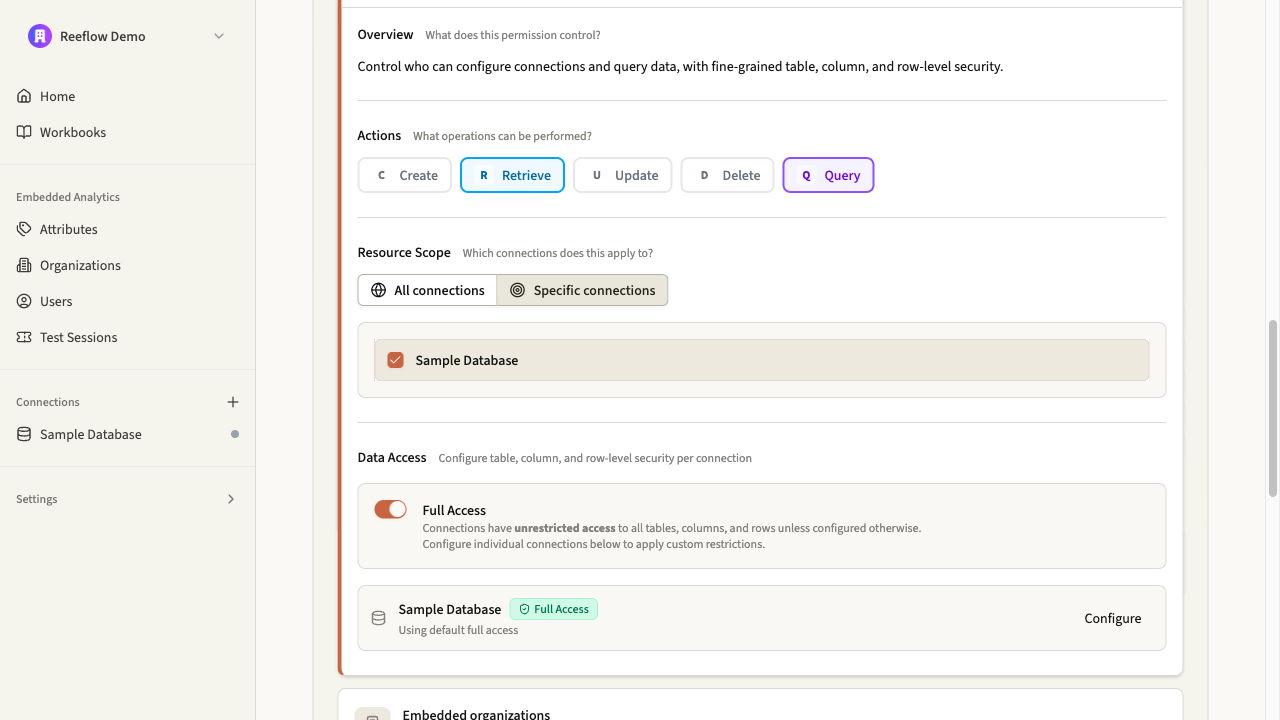
Connection scope is defined in role permissions with two options:
All connections: The principal can query any connection in the organization.
Specific connections: The principal can only query connections in the allowed list.
When a query is executed, Reeflow checks if the target connection is within scope. If not, the request is denied before any SQL is generated.
Within an allowed connection, table security controls which tables a principal can reference in queries. If a query references a table outside the allowed scope, the request is denied with an error.
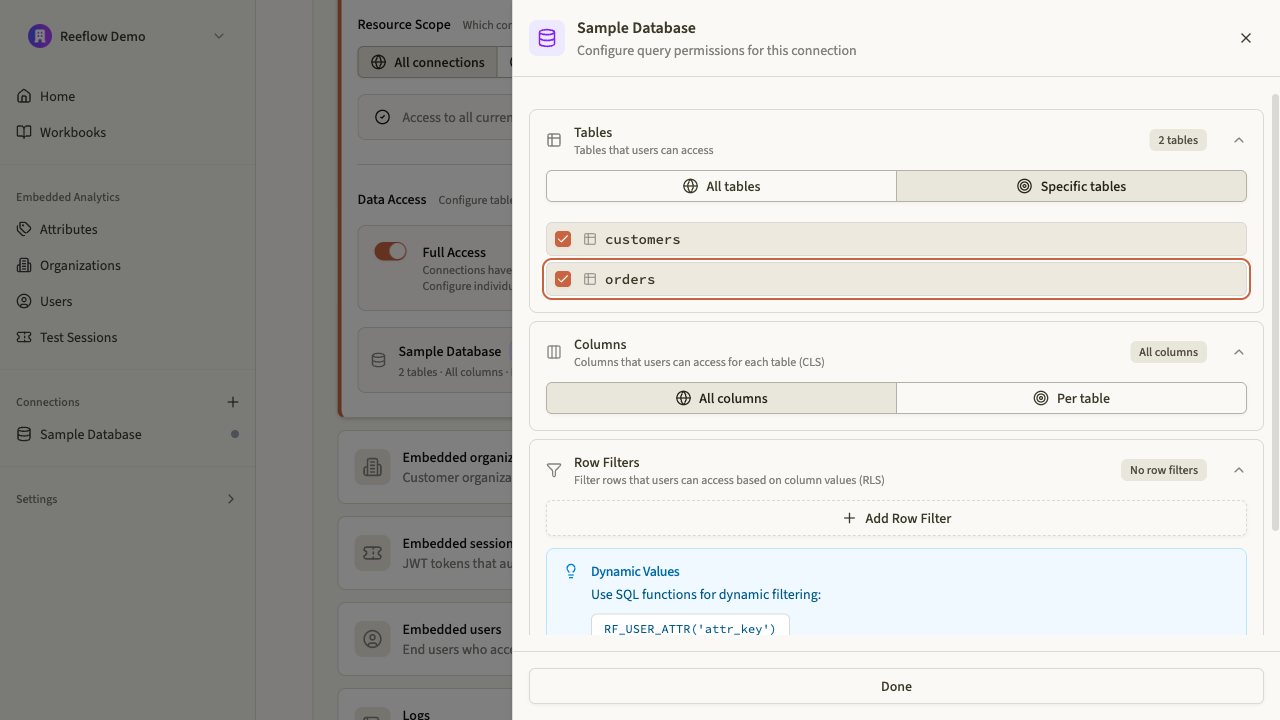
Table scope is defined per connection with two options:
All tables: The principal can query any table in the connection.
Specific tables: The principal can only query tables in the allowed list.
Table names are normalized to fully qualified form (schema.table or dataset.table) before comparison. If a query uses an unqualified name like orders, Reeflow adds the connection’s default schema or dataset.
Allowed list format
The allowed list must use fully qualified names to match normalized queries.
Multi-table queries
All tables in joins and subqueries must be allowed. If any table is denied, the entire query fails.
Connection and table permissions are configured on roles. Each role defines what connections and tables principals can access when they assume that role.
Configure connection scope in the Console
Define which connections a role can query. You can grant access to all connections or restrict to specific ones.
Navigate to Roles
Click on a role to open it, then click Edit
Expand Connections and enable the Query action
Set the connection scope: All connections or Specific connections
Role permissions showing connection scope configuration
Configure table scope in the Console
Within each connection, define which tables a role can query. Click Configure on a connection to access table-level settings.
Click Configure on a connection to open the query permissions sheet
Expand Tables
Set the table scope: All tables or Specific tables